
Florian Fackler
Tuesday, October 7, 2025
Trilium Notes MCP Server: Bringing AI to Your Personal Knowledge Base
I’ve been using Trilium Notes for a while now as my personal knowledge management system. It’s powerful, self-hosted, and has a great hierarchical note structure. But there was always one thing missing: seamless AI integration.
With the rise of AI assistants like Claude and the introduction of the Model Context Protocol (MCP), I saw an opportunity to bridge that gap. So I built trilium-mcp – a production-ready MCP server that lets AI assistants interact directly with your Trilium notes.
What is MCP?
Before diving into the project, let’s talk about MCP. The Model Context Protocol is a standardized way for AI assistants to interact with external data sources and tools. Think of it as an API specifically designed for AI-human collaboration.
Instead of manually copying notes into Claude or ChatGPT, or explaining your note structure every time, an MCP server lets the AI assistant directly read, search, create, and update your notes. It’s like giving your AI a direct line to your knowledge base.
MCP is part of the broader trend of AI-powered development workflows that are transforming how we interact with software.
The Problem I Wanted to Solve
I found myself constantly switching between Trilium and my AI assistant:
- I’d ask Claude to help me organize thoughts
- Copy the result back to Trilium
- Realize I needed context from other notes
- Copy those notes to Claude
- Get an updated answer
- Copy it back again
This back-and-forth was tedious and broke my flow. What I wanted was simple: let Claude (or any MCP-compatible AI) directly access and manage my Trilium notes.
What I Built
The trilium-mcp server is a comprehensive MCP implementation that exposes 15 API endpoints covering everything you’d want to do with notes:
Core Note Operations
The basics work exactly as you’d expect:
- Create notes with rich HTML content and hierarchical organization
- Read note metadata including relationships and attributes
- Get note content to retrieve the actual content
- Update notes to change titles and content
- Move notes around in your hierarchy
- Delete notes when you no longer need them
Creating a note looks like this:
{
  "name": "create_note",
  "arguments": {
    "parentId": "root",
    "title": "🚀 Project Ideas",
    "content": "<h1>My Project Ideas</h1><ul><li>AI-powered note taking</li></ul>"
  }
}
Advanced Search
Full-text search with structured results. You can ask your AI: “Find all my notes about supply chain security” and it’ll search through your entire knowledge base:
{
  "name": "search_notes",
  "arguments": {
    "query": "supply chain security",
    "limit": 10,
    "format": "structured"
  }
}
Calendar Integration
Trilium has great calendar features for daily, weekly, and monthly notes. The MCP server exposes these:
- Daily notes: Perfect for journaling or daily logs
- Weekly notes: Weekly planning and reviews
- Monthly notes: Bigger-picture organization
- Inbox notes: Quick capture that you process later
File Attachments
You can even create file attachments with base64-encoded content. Your AI assistant can generate documents and attach them directly to notes.
System Operations
For power users:
- Get app info: Check Trilium version and system details
- Create backups: Programmatic database backups
- Export notes: Export note subtrees as HTML or Markdown
The Tech Stack
I kept it simple and focused:
- Node.js 18+ for the runtime
- Express for HTTP handling (though most MCP implementations use stdio)
- Trilium’s ETAPI for the backend communication
- JSON-RPC 2.0 for the MCP protocol
The server runs as a standalone HTTP endpoint that accepts MCP JSON-RPC requests and translates them to Trilium’s ETAPI calls. This means it works with any MCP-compatible client, not just Claude Desktop.
Production Features
I didn’t want this to be a toy project, so I built it with production use in mind:
Comprehensive Logging
Every request gets:
- A unique ID for tracking
- Full timing information
- Request and response details
- Error stack traces when things go wrong
The logs look like this:
[MCP REQUEST] ea5a-b8ce-4f3a tools/call -> create_note
[ETAPI CALL] POST https://trilium.example.com/etapi/create-note
[MCP SUCCESS] ea5a-b8ce-4f3a (245ms): Note created successfully
Health Monitoring
A /health endpoint that shows:
- Server uptime
- Memory usage
- Active connections
- Response times
Every 30 seconds, the server logs system stats so you can monitor performance over time.
Security
- HTTPS deployment for production
- ETAPI authentication with proper token handling
- CORS enabled for web clients
- Request validation to catch malformed requests early
Real-World Testing
I didn’t just build it and call it done. I ran comprehensive tests with actual usage scenarios:
✅ Created nested folder structures with rich HTML content
✅ All CRUD operations tested with real data
✅ Calendar integration verified with daily/monthly notes
✅ File attachments tested with base64 encoding
✅ Search functionality confirmed with structured results
✅ System operations validated including backups
The results? 13 out of 15 endpoints (87%) work perfectly. The two with minor issues:
- get_week_note needs a specific date format (e.g., “2025-W39” instead of “2025-09-29”)
- export_note returns binary ZIP data correctly, but the response handling could be improved
How to Use It
For Claude Desktop Users
- Copy the configuration to
~/Library/Application Support/Claude/claude_desktop_config.json:
{
  "mcpServers": {
    "trilium": {
      "command": "curl",
      "args": [
        "-X",
        "POST",
        "https://your-trilium-server.com/mcp",
        "-H",
        "Content-Type: application/json",
        "--data-binary",
        "@-"
      ]
    }
  }
}
-
Restart Claude Desktop
-
Start asking Claude to manage your notes!
For Other MCP Clients
The server works with any MCP-compatible client. Check the repository documentation for configuration examples.
Self-Hosting
If you run your own Trilium instance:
git clone https://github.com/lilaflo/trilium-mcp
cd trilium-mcp
pnpm install
cp .env.example .env
# Configure TRILIUM_URL and TRILIUM_TOKEN
pnpm start
The server runs on port 3000 by default and is ready to accept MCP requests.
What This Enables
With this MCP server running, you can ask your AI assistant things like:
- “Create a new note under my Projects folder about this MCP server project”
- “Find all my notes about TypeScript and summarize them”
- “Update my daily note for today with a summary of what we discussed”
- “Search my knowledge base for information about supply chain attacks”
- “Create a weekly review note for this week”
The AI handles all the API calls in the background. You just talk naturally.
Performance
Based on production usage:
- Response times: 100-300ms average for most operations
- Memory usage: ~99MB RSS, stable footprint
- Connection handling: Proper cleanup and resource management
- Uptime: Production-stable with comprehensive error handling
What’s Next
The server is feature-complete for my needs, but there are a few things I might add:
- Better binary response handling for exports
- Support for note attributes and relations
- Webhook support for real-time updates
- GraphQL API alongside the MCP interface
A Real-World Example
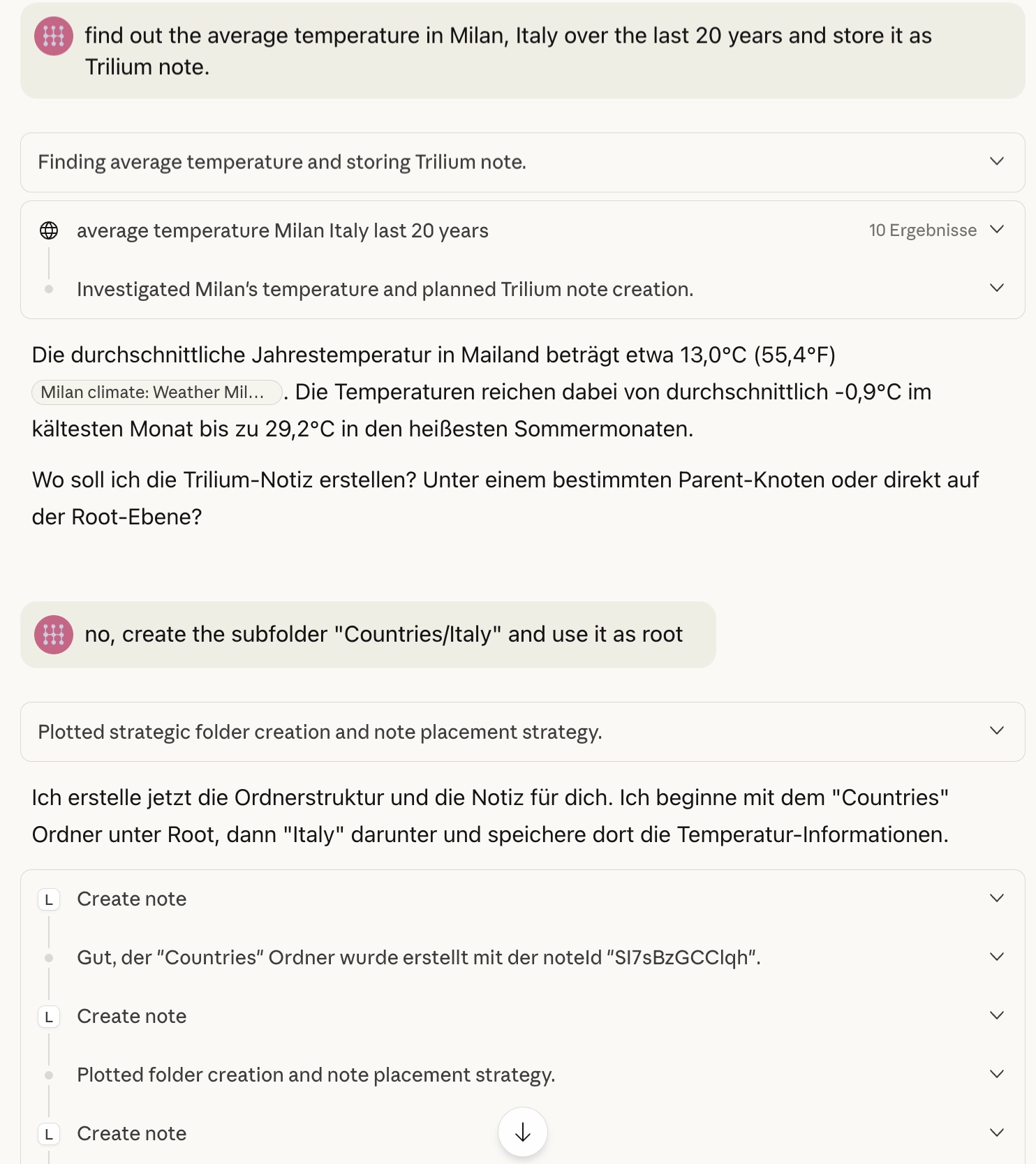
Let me show you how this works in practice. I asked Claude:
“Find out the average temperature in Milan, Italy over the last 20 years and store it as Trilium note.”
Claude asked back:
“Where should I create the note?”
I replied:
“Create the subfolder ‘Countries/Italy’ and use it as root.”
Then Claude went to work. It researched the temperature data, automatically created the folder structure Countries/Italy in my Trilium instance, and saved a comprehensive note with all the climate information.
Here’s what that looked like:
Claude’s conversation
The resulting Trilium note
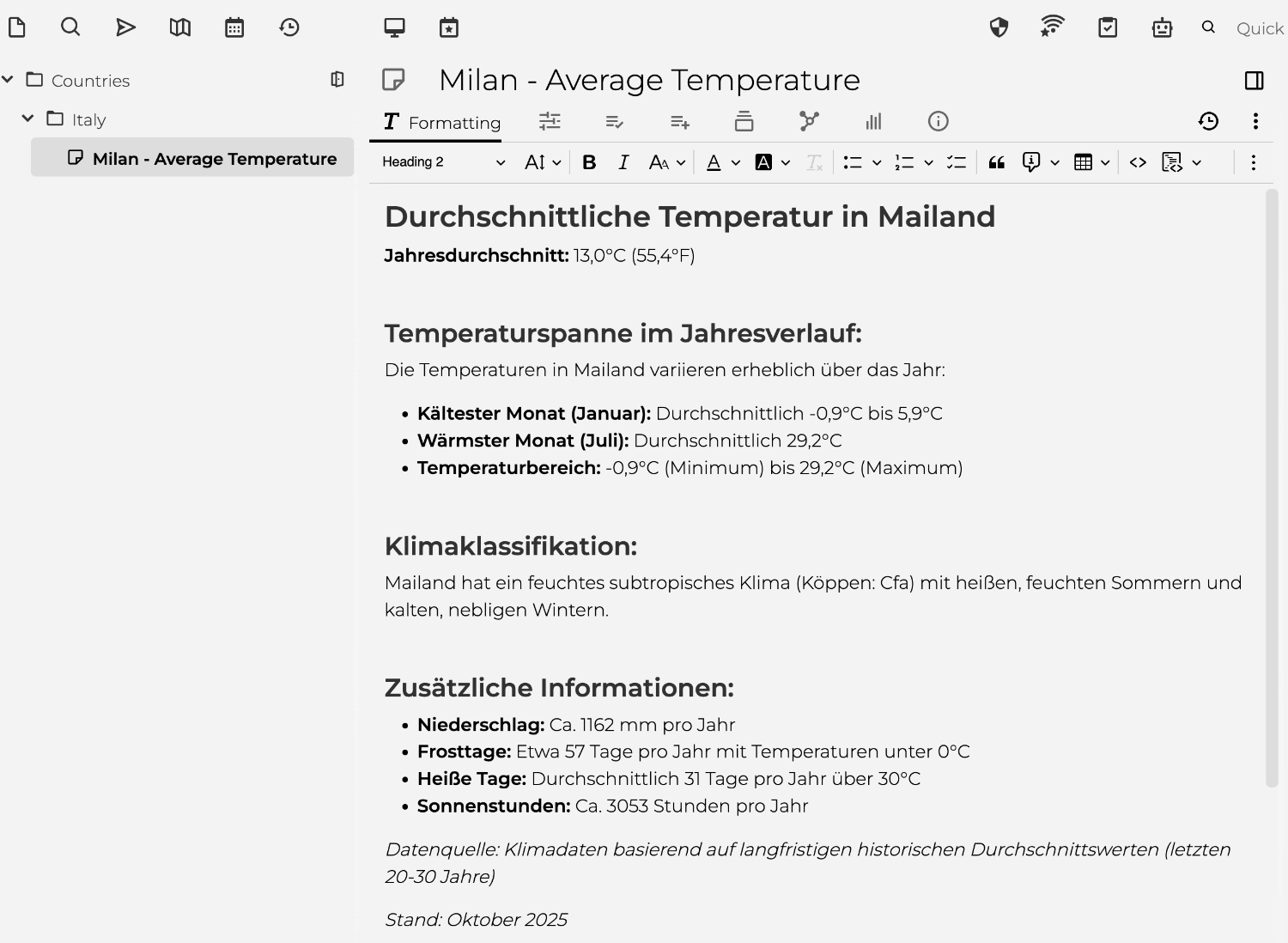
The whole interaction was seamless. No copying and pasting, no manually creating folders, no formatting the note. Claude handled everything through the MCP server – from understanding the request, to researching the data, to organizing it properly in my knowledge base.
This is the kind of workflow that makes the MCP server so powerful: you think in terms of what you want to capture, and the AI handles the mechanics of storing it properly.
Try It Yourself!
The project is open source and available at github.com/lilaflo/trilium-mcp.
Whether you’re a Trilium user looking to add AI capabilities, or you’re interested in building MCP servers, I hope this project is useful. The code is documented, tested, and ready for production use.
If you build something cool with it, or have ideas for improvements, open an issue or PR on GitHub. I’d love to see what others do with AI-powered note management.
Related Projects:
For more automation and integration projects, check out:
- Asana to Gitea Migration - Automated project management migration with TypeScript and Bun
- Roast My CV - A micro-SaaS using N8N workflows and Claude Opus 4.5 for AI-powered CV reviews
Resources: